JSesh 9 Documentation
Placing signs freely: the group editor
Some groups cannot be built with quadrats, insertions or ligatures: signs which overlap, a sign placed at an unusual angle, a one-of-a-kind arrangement. For them, use the group editor, where you place each sign with the mouse.
- Select the signs of the group, or put the cursor just after an existing group.
- Choose Group Manipulation > Edit Group (Ctrl+Shift+G, Mac: ⌘⇧G).
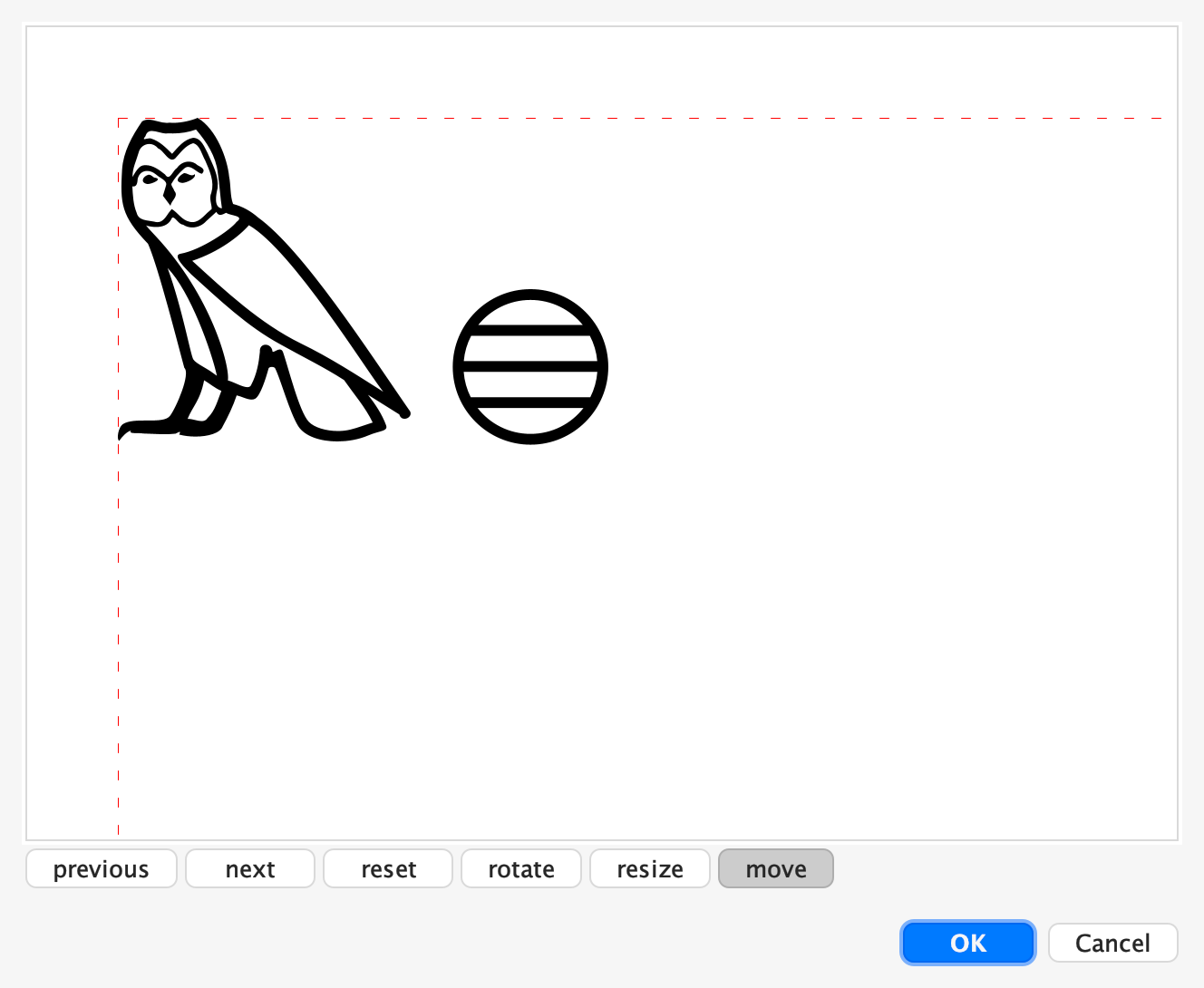
In the group editor:
- click a sign to select it (or use previous and next to go from one sign to the other);
- choose what dragging does with the buttons: move the sign, resize it, or rotate it, then drag the selected sign (or one of the small red squares around it);
- reset puts the selected sign back in its original place and size;
- click OK to put the group back in the text, or Cancel to forget the changes.
The red dashed lines show the limits of the quadrat.
The group editor should be your last resort: try insertions first. A group built in the editor keeps exact positions, which will not adapt if you change the sign sizes of the document.
In the code
A group built in the group editor is written with **, each sign followed by its position and size: A1**B1{{120,300,50}}.