JSesh 9 Documentation
The Insert menu
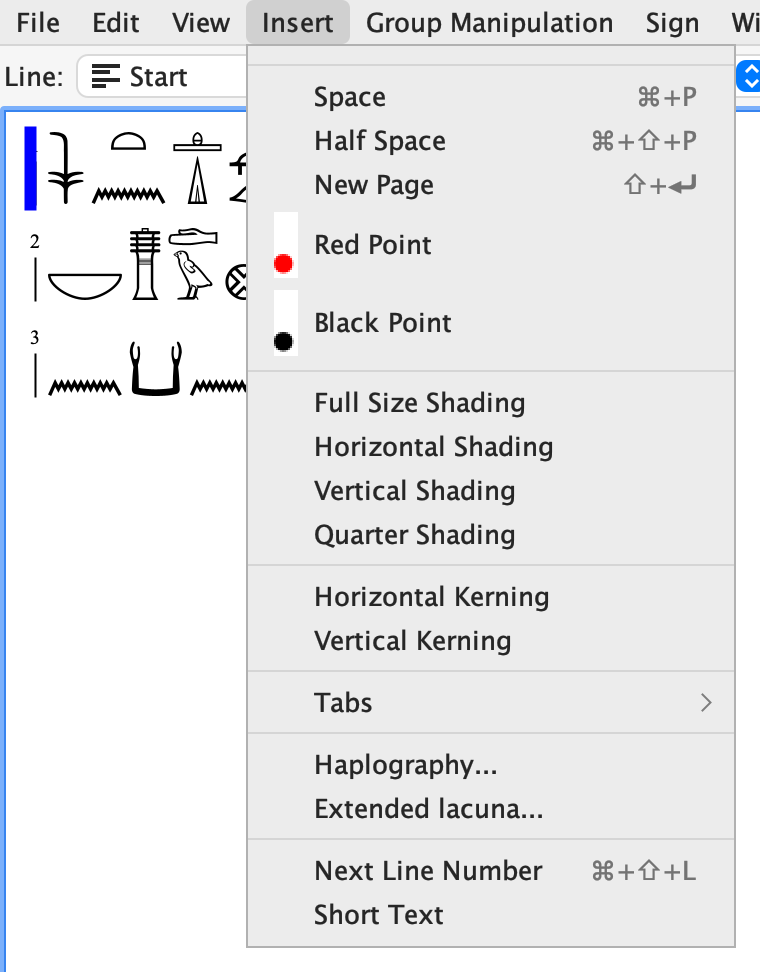
| Entry | Shortcut | What it does | Code |
|---|---|---|---|
| Space | Ctrl+P (⌘P) | an empty quadrat | .. |
| Half Space | Ctrl+Shift+P (⌘⇧P) | an empty half quadrat | . |
| New Page | Shift+Enter | page break (Pages) | !! |
| Red Point, Black Point | verse points |
o, O
|
|
| Full Size Shading, Horizontal Shading, Vertical Shading, Quarter Shading | shading signs (Shading and red ink) |
//, h/, v/, /
|
|
| Horizontal Kerning, Vertical Kerning | brings two quadrats or signs closer (Kerning) |
%hkern, %vkern
|
|
| Tabs > Tab | Ctrl+Alt+T (⌘⌥T) | a tab (Tabs) | %tab |
| Tabs > Move Tab to Next Stop, Move Tab to Previous Stop | changes the stop of the tab | %tab[n=...] |
|
| Tabs > Align Cell Before Tab at Start, Center Cell Before Tab, Align Cell Before Tab at End, Justify Cell Before Tab | alignment of the cell before the tab | %tab[align=...] |
|
| Haplography... | a line with arrows along the text (Haplography and lacuna marks) | %haplography |
|
| Extended lacuna... | a dashed line along the text | %lacuna |
|
| Next Line Number | Ctrl+Shift+L (⌘⇧L) | the number of the next line (Line numbers) | superscript |
| Short Text | a small text used as a sign (Short notes) | "(a)" |
New line has no menu entry: press Enter.