JSesh 9 Documentation
The Edit menu
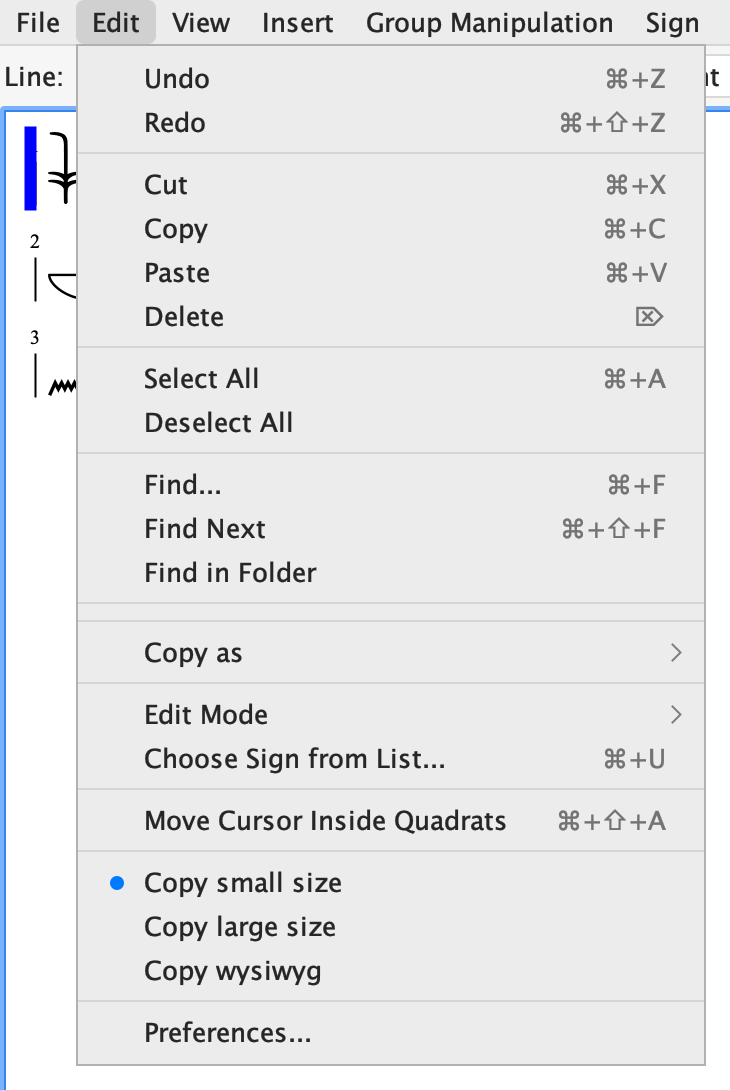
| Entry | Shortcut | What it does |
|---|---|---|
| Undo | Ctrl+Z (⌘Z) | cancels the last change |
| Redo | Ctrl+Y (⌘⇧Z) | restores it |
| Cut, Copy, Paste | Ctrl+X, C, V (⌘X, C, V) | Copy and paste |
| Delete | Delete | deletes the selection |
| Select All | Ctrl+A (⌘A) | selects the whole text |
| Deselect All | removes the selection | |
| Find... | Ctrl+F (⌘F) | Searching in a document |
| Find Next | Ctrl+Shift+F (⌘⇧F) | next occurrence |
| Find in Folder | Searching in many documents | |
| Copy as > Copy as PDF, Copy as RTF, Copy as JPEG or PNG | copies the selection in this format only | |
| Copy as > Copy as Manuel de Codage Text | copies the code of the selection | |
| Copy as > Copy as Plain Unicode Text, Copy as Enhanced Unicode V12 Text | Copying as Unicode hieroglyphs | |
| Edit Mode > Hieroglyphic Text | Ctrl+E (⌘E) | type hieroglyphs |
| Edit Mode > Latin Text, Italic Text, Bold Text | Ctrl+D, I, B (⌘D, I, B) | type alphabetic text (Line numbers, notes and alphabetic text) |
| Edit Mode > Transliteration, Uppercase Transliteration | Ctrl+T, Ctrl+Shift+T (⌘T, ⌘⇧T) | type transliteration |
| Edit Mode > Line Numbers | type a line number | |
| Choose Sign from List... | Ctrl+U (⌘U), or Shift+Space | the signs matching the code just typed (Typing signs) |
| Move Cursor Inside Quadrats | Ctrl+Shift+A (⌘⇧A) | lets the cursor stop between the signs of a group (Moving around and selecting) |
| Copy small size, Copy large size, Copy wysiwyg | the size used by Copy (Copy and paste) | |
| Preferences... | Preferences (on a Mac: in the JSesh menu) |