JSesh 9 Documentation
Finding a sign in the palette
When you do not know the code of a sign, look for it in the sign palette. Open it with Window > Hieroglyphs.
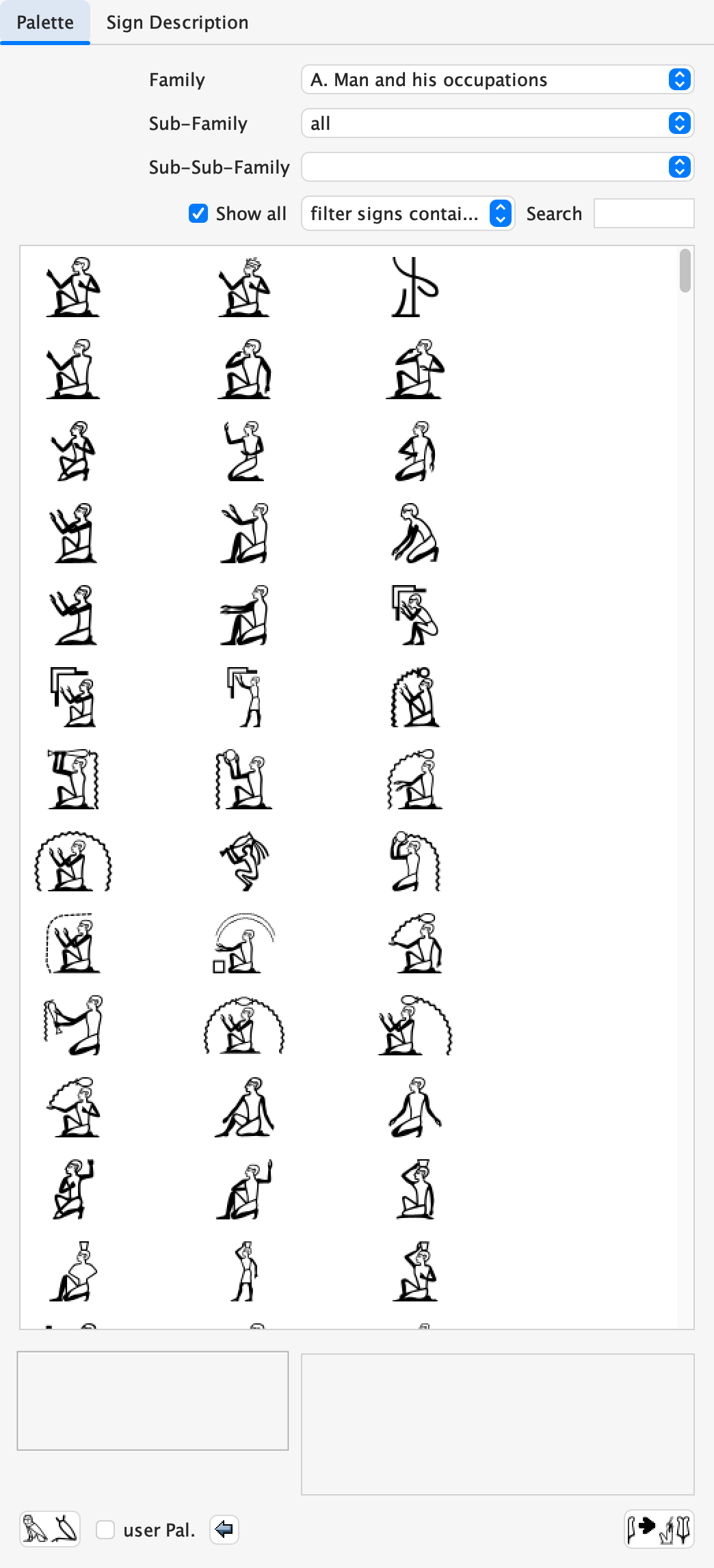
Basic use
- Choose a Family in the list at the top. The families are those of Gardiner's list (A. Man and his occupations, B. Woman..., G. Birds...), plus Ff (signs taken from hieratic) and two special families described below.
- Click a sign once: its code and its values are shown at the bottom of the palette. The Sign Description tab gives more information, when there is some.
- Double-click a sign to insert it in the text, at the cursor.
By default, the palette shows only the main signs of each family. Check Show all to see their variants too.
Narrowing the list
- Sub-Family and Sub-Sub-Family
- Restrict the family to signs which share a feature. For instance, in family C (anthropomorphic deities), you can show only the falcon-headed gods.
- Search
- Type a transliteration (in Manuel de Codage letters, as
nfrorHm): only the signs with this value are shown. The values include phonetic values and values of the words in which the sign is typical. - filter signs containing
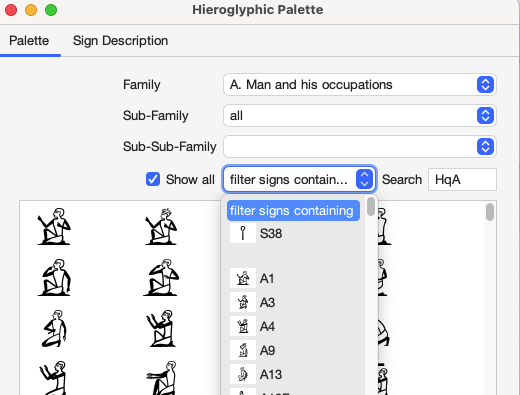
- Shows only the signs which contain a given element. The proposed elements are signs which have been selected recently in the palette. If you want to see only the signs in the
Acategory which hold a ḥqꜣ scepter, first typeHqAin the search, click on theHqA scepter which appear in the list. Then, select theAcategory, and choose theHqA scepter in the drop-down list.
The buttons at the bottom
- The button with two birds shows the variants of the selected sign. Each new click adds the variants of the variants. "Variant" is meant loosely here: it can be a real variant (Z7 for G43), or a sign whose drawing is derived from the selected one.
- The button on the right shows the signs which contain the selected sign. Each new click goes one step further.
- The arrow button shows the last three signs you selected in the palette.
- user Pal. adds the selected sign to your user palette (uncheck it to remove the sign).
Two special families
- User Palette
- The signs you have added with user Pal.: your own selection of frequent or unusual signs. It is kept from one session to the next.
- Latest signs
- The signs you have chosen in the palette during this session.
The information is approximate
The values shown in the palette are there to help you find signs. They are not a scientific description of the signs. For instance, bin is given for G37 as a mnemonic only. If you know the signs well, you can help improve these descriptions: see Describing signs.