JSesh 9 Documentation
Line numbers, notes and alphabetic text
A JSesh document can contain other things than hieroglyphs: line numbers, a translation, a transliteration, notes.
Line numbers
Insert > Next Line Number (Ctrl+Shift+L, Mac: ⌘⇧L) inserts the number of the next line, as a small number above the text: JSesh looks for the last number in the text and adds one.
To type a number yourself, choose Edit > Edit Mode > Line Numbers, type the number, and come back to hieroglyphs with Ctrl+E (Mac: ⌘E).
Translation, transliteration and other text
The Edit > Edit Mode menu changes what you type:
| Edit mode | Shortcut | Use |
|---|---|---|
| Hieroglyphic Text | Ctrl+E (Mac: ⌘E) | hieroglyphs (the normal mode) |
| Latin Text | Ctrl+D (Mac: ⌘D) | translations, comments |
| Italic Text | Ctrl+I (Mac: ⌘I) | |
| Bold Text | Ctrl+B (Mac: ⌘B) | |
| Transliteration | Ctrl+T (Mac: ⌘T) | transliteration, typed with the letters of the Manuel de Codage (nfr, Htp) |
| Uppercase Transliteration | Ctrl+Shift+T (Mac: ⌘⇧T) | transliteration in capitals |
| Line Numbers | small numbers above the line |
The current mode is shown at the bottom left of the window. The transliteration font is chosen in the preferences (see Transliteration).
Short notes among the signs
Editions often add small remarks among the signs: sic, a footnote letter "(a)", "tr." Insert > Short Text inserts a small text which behaves like a sign: it can be grouped with signs, or placed in a ligature, without disturbing the layout.
For instance, to add "(a)" after a sign, insert the short text after the sign:
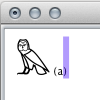
then select the sign and the note, and group them with Group Manipulation > Legacy Ligatures > Ligature hieroglyph with group:
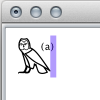
or place the note exactly with the group editor:
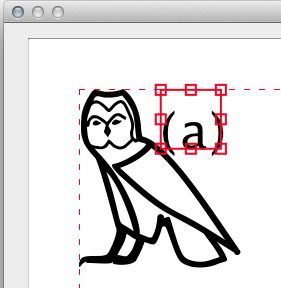
In the code
|1- is a line number (superscript); +l...+s is Latin text (+i italic, +b bold, +t transliteration); "(a)" is a short text used as a sign. See the reference.