JSesh 9 Documentation
Interface language and appearance
Choosing the language of the menus
By default, JSesh uses the language of your computer, if it is one of its languages. You can choose another one:
- Open the preferences: Edit > Preferences... (Mac: JSesh > Settings... or Preferences..., in the application menu).
- Choose the Interface tab.
- Choose the language in the Language list. System default means "the language of my computer".
- Click Ok, then quit and restart JSesh.
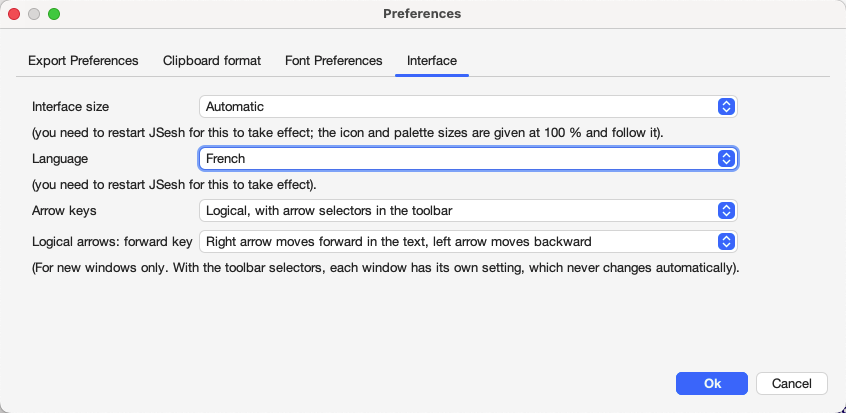
The interface of JSesh 9 is available in English, Arabic, French, Italian, Portuguese, Spanish and Swedish (the exact list is shown in the Language menu of the preferences). Translations are made by volunteers: some labels may still appear in English.
Size of the interface
If the JSesh text and buttons are too small for your taste, you can increase them. Instead of Automatic, choose a percentage (e.g. 150%) and restart JSesh.
Size of the hieroglyphic text in a document
To make the hieroglyphs bigger or smaller on the screen only, use the Zoom menu at the bottom right of the window. It does not change the document, its printing or its export.