JSesh 9 Documentation
Your own shortcuts: the glossary
The glossary lets you type a whole word or group with a short code of your choice.
Suppose you want to type the hieratic form of the article pꜣ, pA:
- Type the group in the text:
G41, Space,A, Space. - Select it.
- Choose Group Manipulation > Add Selection to Glossary.
- The glossary window opens with your group. Type the code you want to use (here
pA), and click Add.
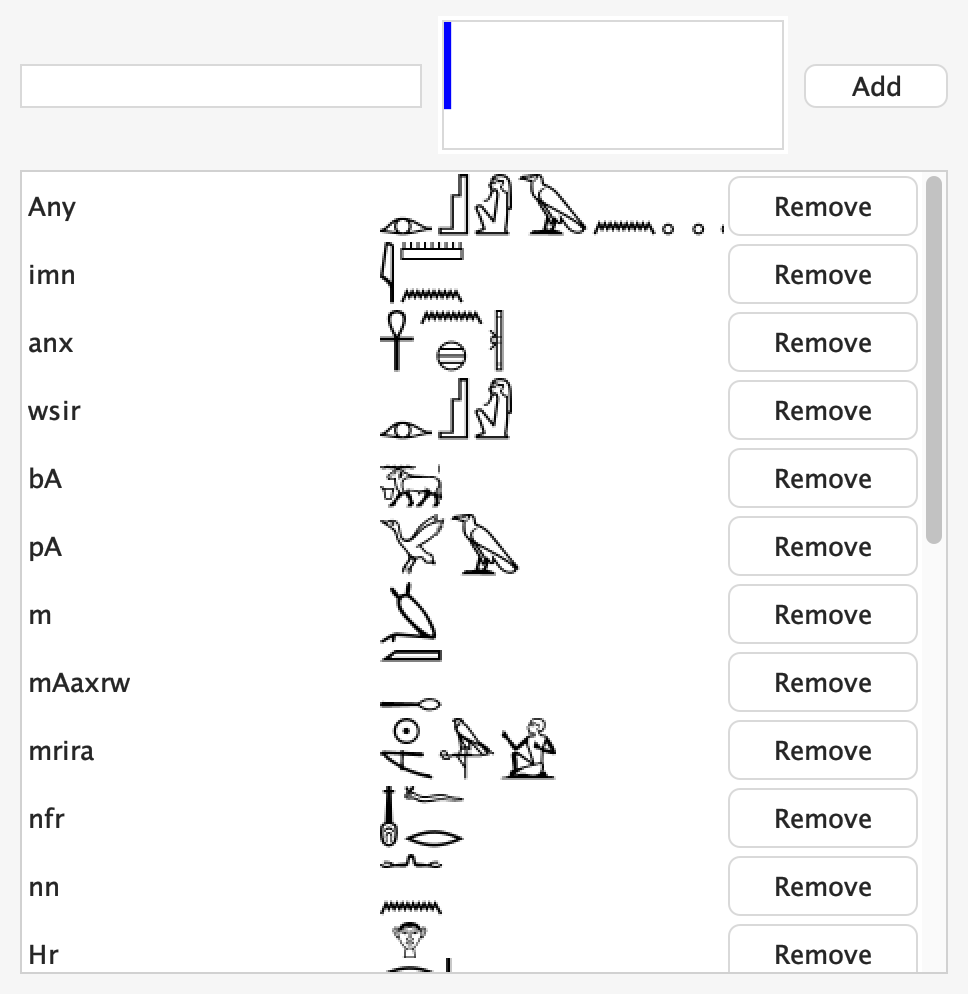
From now on, typing pA and Space inserts the whole group. As pA was already the code of other signs, the space bar lets you cycle through all of them, your group included (see Several signs for the same value).
Rules for codes
A code must not contain spaces or hyphens: it would be impossible to type it. Use letters and digits.
Managing the glossary
- Window > Glossary opens or closes the glossary window.
- The Remove button next to an entry removes it.
- The glossary is saved automatically, in the JSesh folder of your user account (see Installing JSesh). It is kept when you install a new version of JSesh.