JSesh 9 Documentation
Searching in many documents
JSesh can search all the JSesh documents of a folder, and of its sub-folders. Your texts, with their translations, then become a small corpus that you can query.
- Choose Edit > Find in Folder.
- Choose the folder.
- Type your search, as in Searching in a document: jokers,
[...], variants and Max. Skip Length work the same way. Ignore sign layout looks for sequences of signs whatever their grouping. - Start the search.
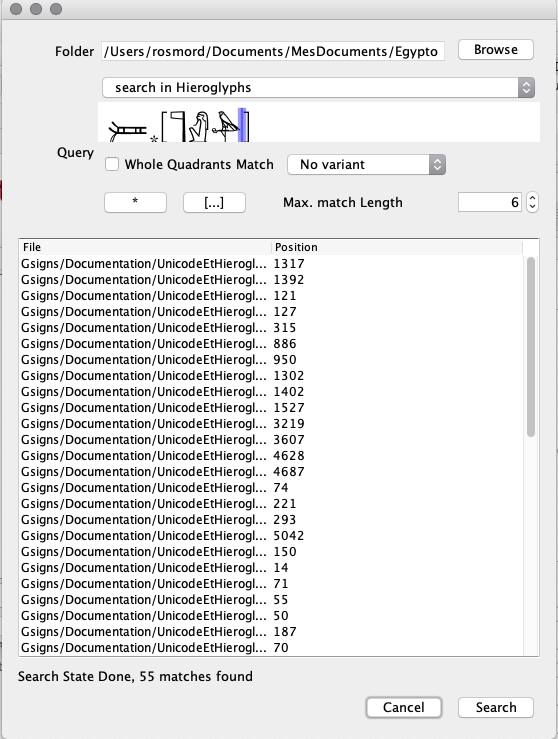
The occurrences are listed below the search form, with their document and position. Double-click an occurrence to open the document at that place.
In the example above, we look for the name of Atum. [...] lists several possible spellings, and Max. Skip Length limits the number of signs that * may skip, to avoid matches spread over several lines.