JSesh 9 Documentation
Transliteration with Unicode fonts
To display transliteration with a Unicode font, you need a font which contains the Egyptological letters (ꜣ, ꜥ, ḥ, ḫ, ẖ...). Lists of suitable fonts are kept by the JSesh web site and by Daniel Werning.
Choosing the font
- Open Edit > Preferences... (Mac: in the application menu), tab Font Preferences.
- Next to Transliteration Font, click Choose Font and select your font. The size can be set next to it.
- Click show options >>>, and check Unicode Transliteration font.
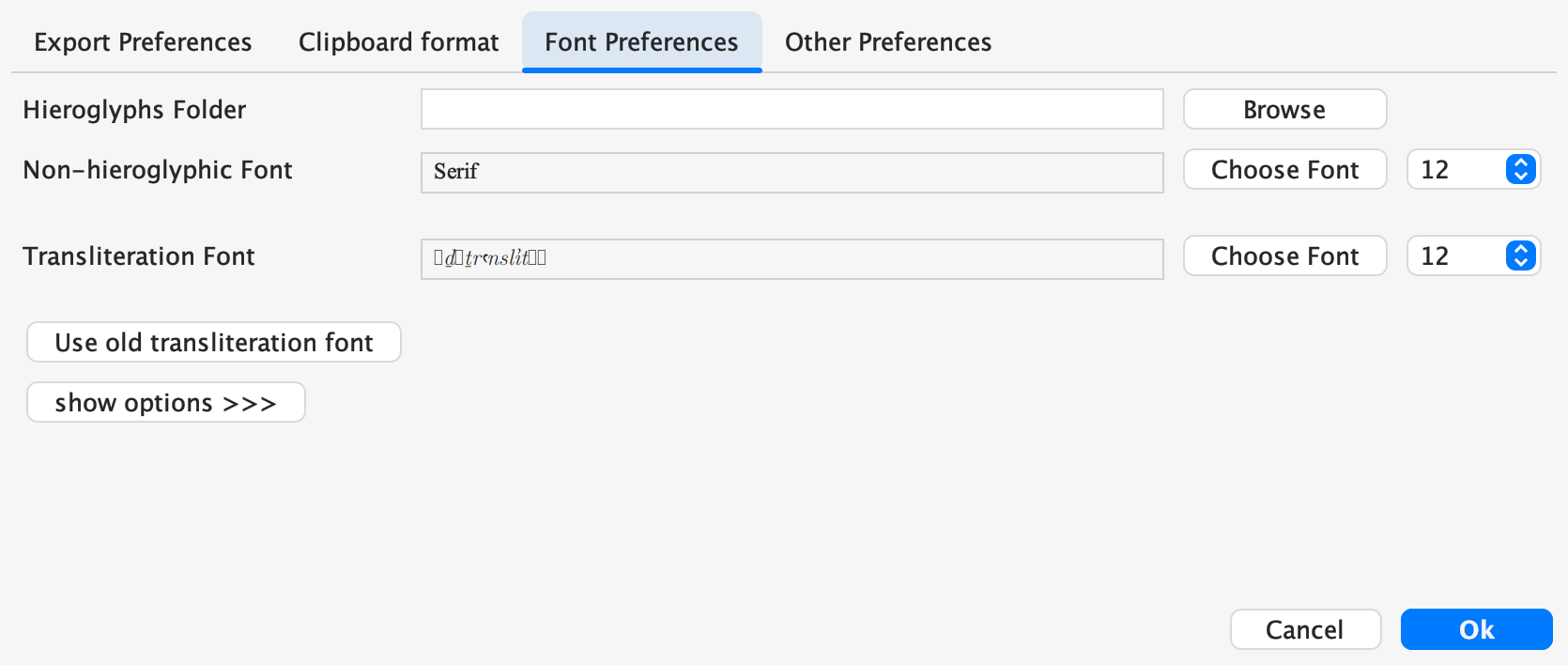
The same tab chooses the Non-hieroglyphic Font, used for Latin text (translations, notes).
The yod
The Egyptological yod (ỉ) has been written in several ways in Unicode. Recent fonts have a dedicated character (U+A7BD and U+A7BC for the capital), which is the standard solution today. Older fonts used an i with a combining accent. In the options of the Font Preferences tab, choose:
- Yod uses UA7BD: the new standard character. Choose it if your font has it;
- Yod uses U0313: i with a "comma above". Works with most fonts, but the accent of the capital is placed above it;
- Yod uses U0486: i with another accent, which some fonts place in front of the capital, as it should be;
- Yod uses J: for fonts which draw the yod in place of the letter J.
Display problems
Some combinations of letters and accents (the capital Ḫ in particular) can be badly drawn on the screen with some fonts and systems. Usually, the text is correct, and displays well once copied in a word processor. If it bothers you, try another font.
References
- Transliteration of Ancient Egyptian, on Wikipedia.